

For brevity, the
orderUid is referred to as “Order ID” in the explorer, and is shortened to the first 8 characters of the orderUid.Fill-or-kill
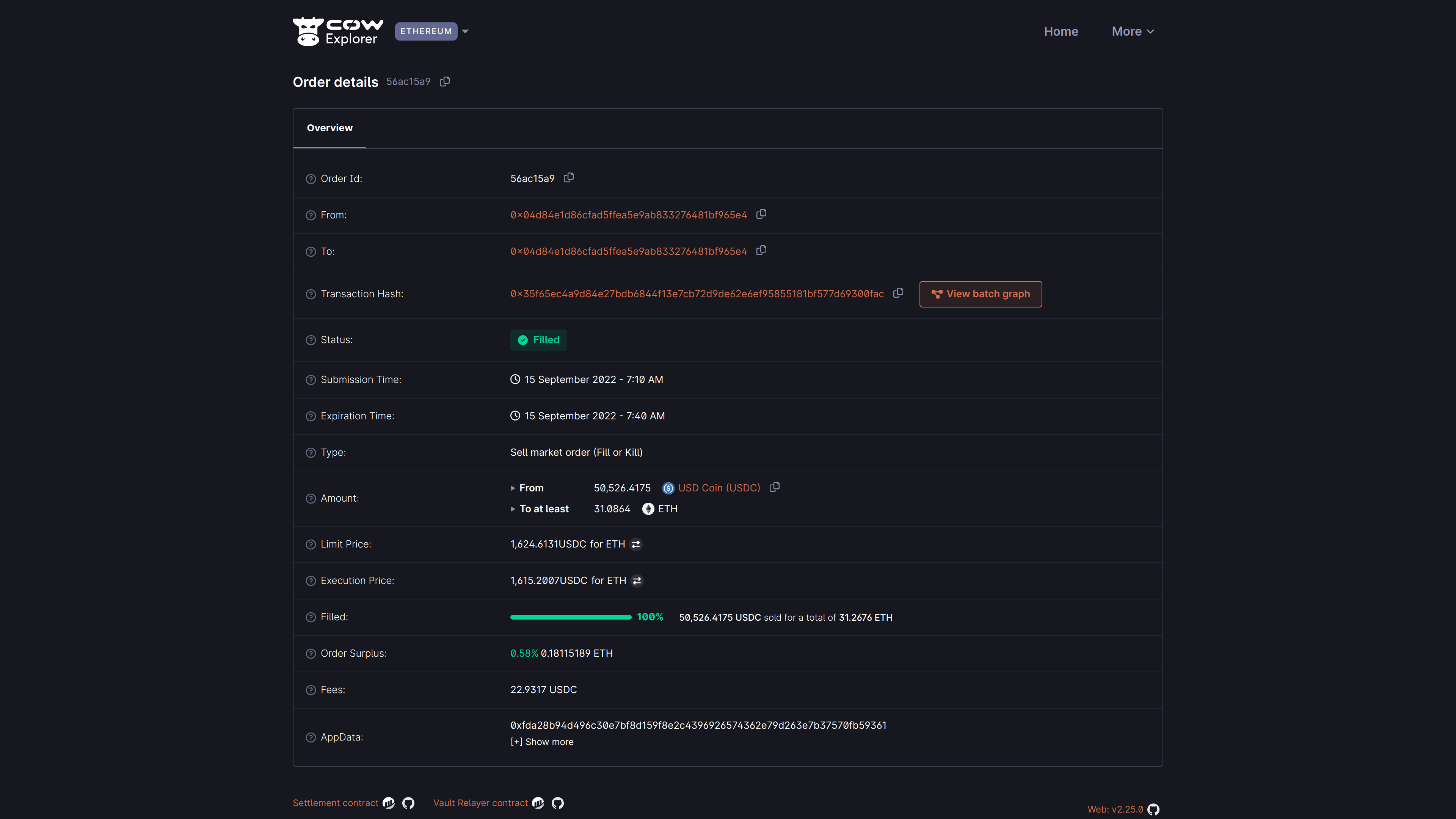
Below is a simple example of Order ID56ac15a9 that has been filled:
Understanding order details
Understanding order details
Partially fillable
A more complex example may be a user who has placed a partially fillable order. This means that the user has expressed a swap intent for a certain amount of tokens, but the order may be filled in multiple batches. This can only be used with Limit orders.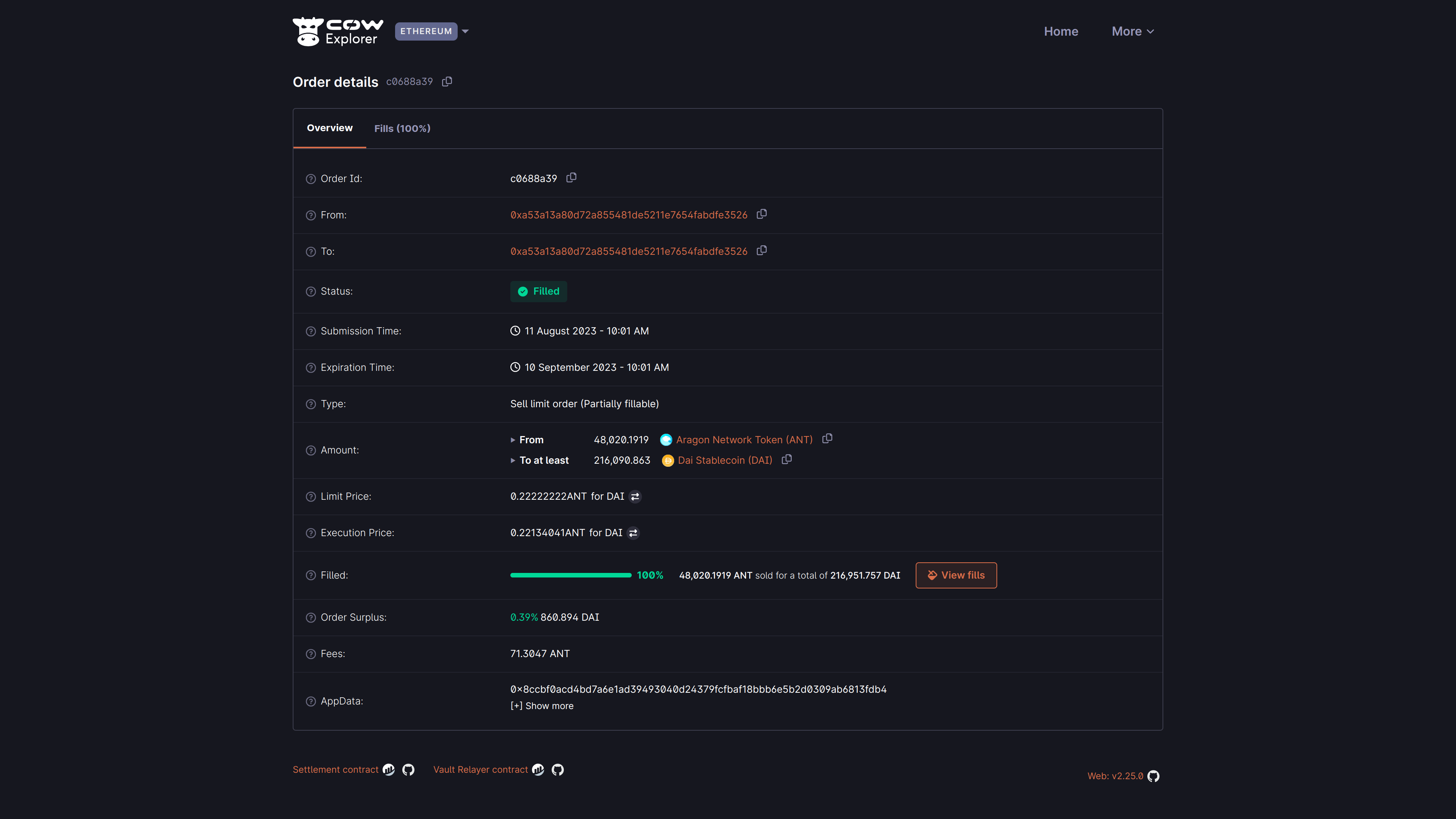
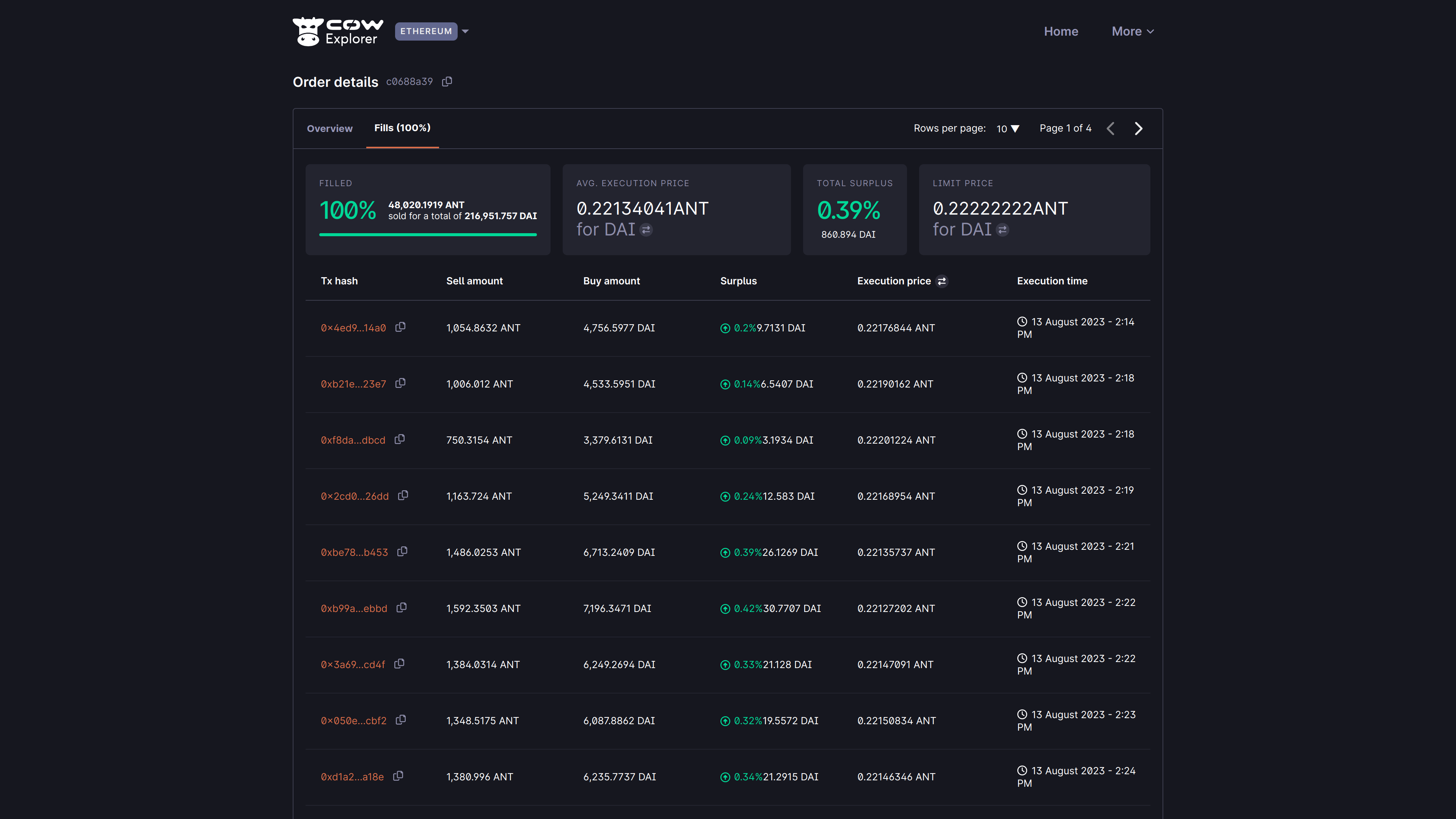
- The total amount filled (in this case 100%)
- The average execution price (in this case 0.22134041 ANT for DAI)
- Total surplus (in this case 0.39% / 860.894 DAI)
- The limit price applied across all fills (in this case 0.22222222 ANT for DAI)
States
As CoW Explorer is meant to help users visualize their signed orders, a critical parameter to show is the state of the signed order. This parameter has the following status:- Open (pending): State for a standing order. Orders in this state are being considered by the solvers. It is the entry state for all orders1, the default from the moment the order is placed. From here the order can transition to all other states.
- Filled: State for an executed/settled order. Orders in this state have been executed and the corresponding funds transferred to the target account. Orders in this state will have available a link to the corresponding Etherscan settlement transaction. This settlement transaction would contain your order’s execution and any other orders that are part of the same batch.
- Expired: State for orders that have not been executed. Orders in this state have not been executed during the defined expiration time.
- Cancelled: State for orders that have been cancelled. Orders in this state have been cancelled as per user request.
- Partially-filled: State for orders that have been partially executed. Parts of the order have been executed and the corresponding funds transferred to the target account.
- Pre-signing: State for orders that are to be pre-signed. Commonly used for orders submitted from a Smart Contract wallet, such as the Safe wallet.
Footnotes
- Except for pre-signed orders, where the first state is Pre-signing. ↩