> ## Documentation Index
> Fetch the complete documentation index at: https://docs.cow.bleu.builders/llms.txt
> Use this file to discover all available pages before exploring further.
# By user address
> A user may want to see the details of all orders that they have placed. When searching for their address, they will be presented with an overview of all orders that they have placed.
For example, below the user has searched for their address [`0x2557...3af7`](https://explorer.cow.fi/gc/address/0x2557ed03e34f0141722a643589f007836a683af7) that contains multiple orders that were placed on CoW Protocol on Gnosis Chain:
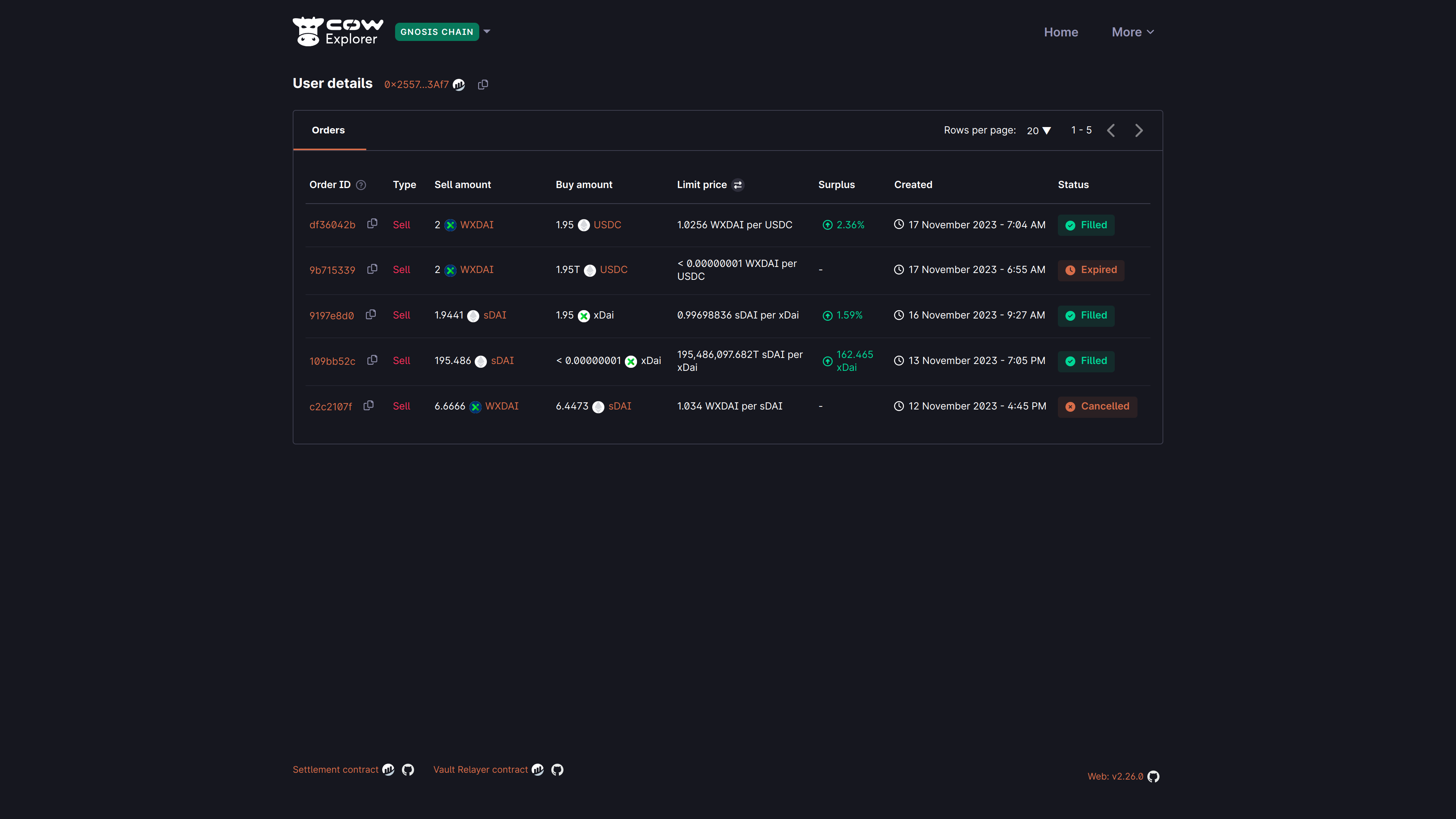 By default, the explorer will show all orders that have been placed by the user, regardless of their status, in reverse chronological order.
| **Field** | **Description** |
| --------------- | ------------------------------------------------------------------------------------------------------------------------------------------------ |
| **Order ID** | The first 8 characters of the `orderUid` for the submitted order. |
| **Type** | Sell or buy order. |
| **Sell amount** | The amount and token that the user is selling. |
| **Buy amount** | The amount and token that the user is buying. |
| **Limit price** | The limit price is the price at which this order shall be filled. |
| **Surplus** | The (averaged) surplus for this order. This is the positive difference between the initial limit price and the actual (average) execution price. |
| **Created** | The date and time at which the order was submitted. The timezone is based on the browser locale settings. |
| **Status** | The order status is either `Open`, `Filled`, `Expired`, `Cancelled`, `Partially Filled`, or `Pre-signing` |
By default, the explorer will show all orders that have been placed by the user, regardless of their status, in reverse chronological order.
| **Field** | **Description** |
| --------------- | ------------------------------------------------------------------------------------------------------------------------------------------------ |
| **Order ID** | The first 8 characters of the `orderUid` for the submitted order. |
| **Type** | Sell or buy order. |
| **Sell amount** | The amount and token that the user is selling. |
| **Buy amount** | The amount and token that the user is buying. |
| **Limit price** | The limit price is the price at which this order shall be filled. |
| **Surplus** | The (averaged) surplus for this order. This is the positive difference between the initial limit price and the actual (average) execution price. |
| **Created** | The date and time at which the order was submitted. The timezone is based on the browser locale settings. |
| **Status** | The order status is either `Open`, `Filled`, `Expired`, `Cancelled`, `Partially Filled`, or `Pre-signing` |